

Приватный чит для Escape from Harkov [DMA] | EFT Cheats & Hack [DMA].
Game version / Версия игры: Steam, Client
Supported OS / Поддерживаемые ОС: Windows (x64 only): 10(20H2/21H1/21H2/22H2), 11(21H2/22H2/23H2/24H2/25H2)
Supported CPU / Поддерживаемые процессоры: Intel / AMD
Game mode / Режим игры: Works only in windowed mode / Работает только в оконном режиме
Coder / Разработчик: Spite
Supported anti-cheats / Поддерживаемые анти-читы: BattlEye(BE)
Invisibility while recording:
Невидимости при записи:
Status / Статус:

===================================
FUNCTIONS / ФУНКЦИИ:
===================================
Screenshots / Скриншоты:
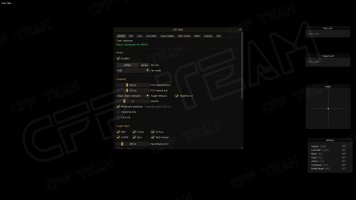
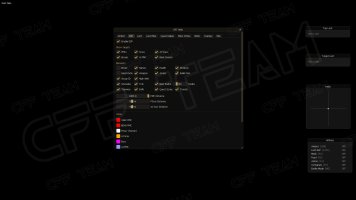
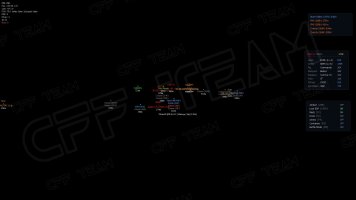
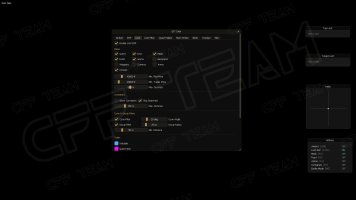
КЛИКНИТЕ ЗДЕСЬ ДЛЯ ПОКУПКИ!
CLICK HERE TO BUY!
Game version / Версия игры: Steam, Client
Supported OS / Поддерживаемые ОС: Windows (x64 only): 10(20H2/21H1/21H2/22H2), 11(21H2/22H2/23H2/24H2/25H2)
Supported CPU / Поддерживаемые процессоры: Intel / AMD
Game mode / Режим игры: Works only in windowed mode / Работает только в оконном режиме
Coder / Разработчик: Spite
Supported anti-cheats / Поддерживаемые анти-читы: BattlEye(BE)
Invisibility while recording:
Невидимости при записи:
Status / Статус:
Для запуска нужна DMA карта которая приобретается отдельно. Необходимо наличие второго компьютера.
===================================
FUNCTIONS / ФУНКЦИИ:
===================================
- Combat
- Aimbot
- Enabled (hotkey / always on)
- Aim Key: any keyboard key or mouse button, Hold / Toggle mode
- Aim key can be set and used from the second PC's keyboard as well
- Type: Hardware (MAKCU) or Silent
- Target Hitboxes (multi-select: Head, Neck, Chest, Stomach, Arms, Legs)
- Headshot AI (AI targets always aim head only)
- Rectangular FOV (Horizontal / Vertical: 10 - 300 px)
- Smooth (2 - 20)
- Movement Prediction (projectile speed aware)
- Horizontal Only mode
- Lock Axis (blocks real mouse on driven axes)
- Max Distance (0 - 1000 m, 0 = unlimited)
- Draw FOV rectangle with separate colors (no target / has target)
- Target Filters
- PMC, P.Scav, AI Scav, AI PMC, Boss, Black Division
- VSRF is never targeted
- Per-Weapon Overrides
- Weapon category is detected live from the equipped weapon
- Categories: AR, SMG, Pistol, Shotgun, Marksman, Sniper, Other
- Per category: Enable aimbot, custom FOV (H / V), custom Smooth
- Mem Writes
- Master switch (all writes only apply while in raid)
- Silent Aim
- No Recoil (0 - 50%)
- No Sway (0 - 50%)
- Fast Hands (fast ADS + reload speed)
- Aimbot
- Visuals
- Player ESP
- Show Targets: PMCs, Scavs, AI Scavs, Bosses, AI PMC, Black Division
- Boxes, Names, Health, Distance, Head Circle
- Weapon, Ammo and Bullet Penetration per player
- Group ID for PMCs in the same squad
- High Alert (threat line when a hostile is facing you)
- Temp Teammate marking
- Separate max distance for PMC / PScav / AI Scav (50 - 1000 m)
- Adjustable ESP font size (8 - 24 px)
- World ESP
- Grenades: trail and blast radius circle (1 - 20 m)
- Tripwires
- Exfils (open / closed colors)
- Transits
- Quest Zones
- Battle Mode (hides loot / exfils / quests with one key)
- Loot ESP
- Quest items, Keys, Meds, Food, Ammo, Backpacks, Weapons, Currency, Armor, Corpses
- Min. Flea Price / Min. Trader Price filter (0 - 200 000 ₽)
- Max Distance (50 - 1000 m)
- Containers: Skip Searched, Max Distance (0 - 500 m), per-container-type filter
- Cone Filter (5 - 90 deg) and Group Filter ("+N more" clustering)
- Min. Distance below which filters never apply
- Individual colors per loot category
- Loot Filter
- Special Loot: custom categories with name, color, on/off switch and item watchlist (item search)
- Item Filter: show / hide any item, grouped by category with Show All / Hide All / Clear All
- Quest Helper
- Visit, Mark, Plant Item, Plant Quest-Item zones
- Find Item / Find Quest Item (highlighted in loot ESP)
- Show completed objectives
- Per-quest visibility list of active zones
- Zone marker color and Max Distance (50 - 1000 m)
- Color Customization
- USEC, BEAR, PScav, AI Scav, Boss, AI PMC, Black Division, VSRF
- Temp Teammate, Exfil open / closed, Transit
- Loot category colors, quest zone color
- Player ESP
- Overlays
- Radar
- Top-down 2D radar: players, AI, bosses, BTR with facing arrows
- Range (30 - 500 m), background and lines color
- Top Loot List
- Highest-value items in view (1 - 15 rows)
- Target Loot
- Gear of the player under your crosshair (radius 20 - 250 px)
- Hotkey List
- Shows every bind with its ON / OFF state
- Status Bar
- FPS, position, camera, player counts, closest enemy
- All panels are draggable, with background toggle / color and reset position
- Radar
- Binds & Misc
- Binds
- Temp Teammate, Reset Camera, Battle Mode
- Loot ESP on/off, Show all Meds / Food / Ammo, Containers
- Duplicate bind warning
- Hardware
- MAKCU Connect / Reconnect / Test Move with live status and firmware version
- Kernel input (works from the target PC and the second PC)
- Refresh DMA (full reset and re-attach without restarting)
- Auto attach when the game starts after the radar
- Game Data
- Game Mode: PVP, PVE, PVP Seasonal
- Language: EN / RU item and quest names
- Item DB with price auto-refresh and manual Refresh Data
- Live Game Status (memory map, bases, raid stage, map, FPS, DMA speed)
- Config System
- Save Config / Load Config
- Saved automatically when the menu is closed
- Binds
- Запустите ExLoader на втором компьютере;
- Запустите игру на основном компьютере.
- Выберите версию с пометкой [pay] и нажмите кнопку LAUNCH;
- Дождитесь, пока EXLoader закроется;
- Кнопка открытия меню "Insert";
- Приятной игры!
- Launch ExLoader on the second computer;
- Launch the game on the main computer.
- Select the version marked [pay] and click the LAUNCH button;
- Wait for ExLoader to close;
- "Insert" menu opening button;
- Enjoy the game!
Screenshots / Скриншоты:
КЛИКНИТЕ ЗДЕСЬ ДЛЯ ПОКУПКИ!
CLICK HERE TO BUY!
Последнее редактирование: